
Agentic AI for Publishers & Ad Platforms
Hyperscale Ad Ops & Performance With Agentic AI
StationOne is the orchestration layer that puts AI to work for your ad delivery stack. Streamline ad ops and accelerate the outcomes that keep advertisers coming back.
Request a HuddleSee Agentic Examples

MCP Connectors: Connect Your Ad Stack & Go Agentic


Problem
Your Ad Ops Team Can’t
Move Fast Enough
Your delivery data, placement insights, and measurement signals are all there—locked in dashboards nobody has time to synthesize. Optimization happens too late. Wrap reports eat analyst hours.
When campaigns miss, advertisers blame you.

Orchestration Layer
Every Publisher Workflow. One AI Platform.
StationOne connects to your ad delivery stack and provides the AI orchestration layer to agentify the five core workflows every publisher and ad platform runs—from campaign monitoring through performance analysis, advertiser reporting, and automated yield optimization.
Yield & Inventory Optimization
Continuously analyze placement, creative, and sub-publisher performance to automatically shift delivery toward highest-yield inventory and suppress low performers.
Advertiser Wrap Reports
Autogenerate polished, data-rich campaign wrap reports for your media buyers—on any schedule, for any campaign—eliminating hours of manual analyst work per flight.
In-Flight Campaign Analysis
Monitor campaign delivery in real time, surface performance anomalies early, and generate AI-driven insights your team can act on before budgets waste on underperformers.
Agentic Campaign Optimization
Close the loop from measurement signal to action. Agents automatically pause underperforming campaigns and boost top performers via direct API connections to your ad stack.
Dayparting & Creative Intelligence
Run continuous dayparting analysis and creative A/B performance comparisons so your team always knows when and where each creative drives results—not just at the end of the flight.
Agentic Use Cases for Publishers & Ad Platforms
Build It Once. Let It Run
Building agentic workflows in StationOne is easy and code-free. You describe what you want it to do, connect the tools it needs, and set a schedule. It runs on your behalf—consistently, reliably, with human-in-the-loop review only where you want it.
Explore popular publisher use cases:
- Advertiser Wrap
Report - Agentic Yield
Optimizer - In-Flight Campaign
Monitor - Dayparting
Intelligence - Sub-Publisher
Analysis - Delivery Pacing
Monitor
Advertiser Wrap Report
Automated Campaign Wrap Report—Delivered at Flight End, Every Time
Eliminate the manual effort of building post-campaign wrap decks. This agent pulls performance data across your ad stack at flight completion; synthesizes delivery, placement, creative, and outcome metrics; and generates a polished advertiser-ready wrap report—saving your analyst team hours per campaign while consistently impressing media buyers with speed and depth.
Agentic Workflow Steps:
- Trigger: Scheduled at campaign end date, or on demand for mid-flight check-ins
- Pull Delivery Data: Queries your ad server (Google Ad Manager or connected platform) for impressions, clicks, CTR, viewability, completion rates, and frequency by placement and creative
- Pull Measurement Data: Retrieves attribution and outcome signals from Kochava or connected MMP: app installs, conversions, ROAS, and downstream LTV by placement and channel
- Pull Analytics Data: Ingests post-click behavior and audience insights from Google Analytics to round out the advertiser performance story
- Synthesize & Generate: AI applies the Wrap Report Skill: structured flight summary, top-performing placements and creatives, goal vs. actual delivery, key insights, and recommended strategies for the next flight
- Deliver: Sends the formatted wrap report directly to the advertiser contact via email and saves it to the shared Google Drive folder for the account team—no manual handoff required
Connectors Used:
Ad Server
MMP
Google Analytics
Gmail
Google Drive
Schedule:
At campaign end or mid-flight, automated
Time Saved:
4–8 hours per campaign per analyst
Skill Applied:
Advertiser Wrap Report Format
Agentic Yield Optimizer
Yield Optimization & Autonomous Campaign Management
Stop reviewing performance reports and manually adjusting delivery after the fact. This agent ingests signals from your measurement layer, analyzes placement, creative, and sub-publisher performance, and autonomously executes optimizations—pausing underperforming campaigns, boosting top performers, and reallocating delivery—via direct API connections to your ad stack. Human-in-the-loop gates ensure that your team controls high-stakes decisions while routine optimization runs itself around the clock.
Agentic Workflow Steps:
- Trigger: Scheduled daily or on a configurable optimization cycle aligned to your flight cadence
- Pull Measurement Signals: Reads attribution, conversion, ROAS, and LTV data from your connected MMP (Kochava or any supported partner) to establish a ground-truth outcome baseline for every active campaign
- Pull Delivery Data: Retrieves impressions, CTR, viewability, completion rates, and pacing data from Google Ad Manager and all other connected ad delivery platforms, broken down by placement, creative, daypart, and sub-publisher
- Agentic Analysis: AI model identifies placements, creatives, and sub-publishers that are significantly over- or underperforming against advertiser KPIs; surfaces delivery inefficiencies, high-CPC creative clusters, daypart yield gaps, and sub-publisher quality signals simultaneously
- Automate Optimizations: Via write connectors, agent executes approved actions directly in your ad stack—pausing underperforming line items, increasing delivery weight on top-performing placements, adjusting creative rotation, reallocating impressions across sub-publishers—no manual logins required
- Human-in-the-Loop Review: High-impact decisions (e.g., pausing a campaign above a defined delivery threshold or reallocating more than X% of impressions) are flagged for ad ops review and approval before action is taken, keeping humans in control of critical choices
- Log & Report: Delivers a structured optimization summary to the ad ops Slack channel and saves a full change log to Google Drive for audit, QBR preparation, and advertiser transparency
Connectors Used:
MMP
Ad Server/GMP
Google Analytics
DSP Partners
Slack
Google Drive
Schedule:
Daily or continuous—configurable to your optimization cycle
Time Saved:
8+ hours/week of ad ops time per campaign manager
Skill Applied:
Yield Optimization Standard
In-Flight Campaign Monitor
Daily In-Flight Campaign Analysis—Insights Before Issues Become Problems
Stop waiting for the end of a flight to learn what’s working. This agent runs every morning, pulling in-flight performance across every active campaign, surfacing anomalies and delivery gaps, then generating a structured insight summary your campaign team can act on—before the day’s impressions are served.
Agentic Workflow Steps:
- Trigger: Scheduled every morning at 7:00 AM during active campaign flights
- Pull In-Flight Data: Retrieves prior day delivery data from all connected ad platforms: impressions, clicks, CTR, viewability, CPM, and pacing, segmented by placement, creative, and line item
- Pull Outcome Signals: Queries connected MMP for conversion, install, and ROAS signals to connect delivery data to real advertiser outcomes—not just delivery metrics
- Detect Anomalies: Identifies campaigns pacing off target, placements with sudden CTR drops, creatives showing fatigue signals, and delivery quality issues requiring same-day attention
- Generate Insights Report: AI applies the In-Flight Analysis Skill to produce a structured summary: top findings, flagged anomalies, best-performing placements and creatives, and recommended optimizations for the day
- Deliver to Team: Posts insight summary to the campaign management Slack channel and emails the account lead, so decisions are in hand before the morning standup
Connectors Used:
Ad Server
MMP
Analytics
Slack
Gmail
Schedule:
Daily at 7:00 AM during active flights
Time Saved:
1–2 hours/day per campaign manager
Skill Applied:
In-Flight Campaign Analysis
Dayparting Intelligence
Rapid Dayparting & Creative A/B Analysis—Act on What’s Working Now
Don’t wait until the post-campaign wrap to discover that 9–11 AM outperformed every other daypart by 2X or that creative B drove 40% more conversions. This agent analyzes performance by hour, daypart, and creative variant continuously, surfacing actionable intelligence your team can act on in-flight, not in the debrief.
Agentic Workflow Steps:
- Trigger: Scheduled every morning and midday during active flights, or on demand
- Pull Hourly Delivery Data: Retrieves impression, click, and conversion data broken down by hour and creative variant from your connected ad platform
- Pull Outcome Data by Creative: Queries your MMP for conversion and ROAS signals attributed to specific creatives and delivery windows to go beyond click metrics
- Analyze Daypart Performance: Identifies top- and bottom-performing hours and dayparts, calculates relative CPM and CPA efficiency by time window, and flags underserved high-performance windows
- Analyze Creative A/B Performance: Compares creatives head to head on delivery efficiency, engagement rate, and downstream conversion, surfacing a clear winner with supporting data for the team to act on
- Generate & Deliver Recommendations: Posts a structured dayparting and creative insight summary to the Slack campaign channel with clear recommended adjustments the team can implement immediately
Connectors Used:
Ad Server
MMP
Slack
Google Drive
Schedule:
Twice daily during active flights, automated
Time Saved:
Hours of manual analysis per flight cycle
Skill Applied:
Creative & Daypart Performance
Sub-Publisher Analysis
Sub-Publisher & Placement Performance Analysis —Know Your Inventory Inside Out
When you’re aggregating inventory across sub-publishers or a network of placements, the performance delta between your best and worst sources can be enormous—and manual analysis rarely catches it fast enough. This agent continuously evaluates delivery quality, outcome performance, and cost efficiency across every sub-publisher and placement in your network, so your team always knows where to concentrate delivery and where to pull back.
Agentic Workflow Steps:
- Trigger: Scheduled weekly or on demand when new campaigns launch or sub-publishers are added
- Pull Sub-Publisher & Placement Data: Retrieves impressions, CTR, viewability, completion rate, and CPM from your ad server segmented by sub-publisher, site, and placement type
- Pull Outcome Data: Queries your MMP for conversion, install, and ROAS signals attributed to each sub-publisher and placement, connecting inventory quality to real advertiser results
- Rank & Score Inventory: AI ranks each sub-publisher and placement on a composite performance score covering delivery quality, engagement, and outcome efficiency, surfacing clear tiers of top performers and underperformers
- Generate Optimization Recommendations: Identifies where to concentrate future delivery, which sub-publishers to reduce or remove, and where advertiser performance could be improved through inventory reallocation
- Log & Distribute: Saves the sub-publisher performance report to Google Drive and posts a summary to the ad ops Slack channel, with flagged action items for the team to review and implement
Connectors Used:
Ad Server
MMP
BigQuery
Slack
Google Drive
Schedule:
Weekly or on demand—configurable to your network review cadenced
Time Saved:
Hours of manual inventory analysis per week
Skill Applied:
Sub-Publisher Scoring Standard
Delivery Pacing Monitor
Campaign Delivery Pacing Monitor—Know Every Morning If You’re On Track
When you’re committed to delivering 10M impressions over a 30-day flight, or when a performance campaign has an outcome goal you’re accountable for hitting, pacing isn’t just an operational concern, it’s a trust issue with your advertiser. This agent monitors every active campaign against its contracted delivery targets and outcome performance goals daily, flags over- and under-indexing before it compounds, and surfaces recommended corrective actions so your team can make moves before advertisers notice the gap.
Agentic Workflow Steps:
- Trigger: Scheduled weekly or on demand when new campaigns launch or sub-publishers are added
- Pull Sub-Publisher & Placement Data: Retrieves impressions, CTR, viewability, completion rate, and CPM from your ad server segmented by sub-publisher, site, and placement type
- Pull Outcome Data: Queries your MMP for conversion, install, and ROAS signals attributed to each sub-publisher and placement, connecting inventory quality to real advertiser results
- Rank & Score Inventory: AI ranks each sub-publisher and placement on a composite performance score covering delivery quality, engagement, and outcome efficiency, surfacing clear tiers of top performers and underperformers
- Generate Optimization Recommendations: Identifies where to concentrate future delivery, which sub-publishers to reduce or remove, and where advertiser performance could be improved through inventory reallocation
- Log & Distribute: Saves the sub-publisher performance report to Google Drive and posts a summary to the ad ops Slack channel, with flagged action items for the team to review and implement
Connectors Used:
Ad Server
MMP
Google Drive
Slack
Gmail
Schedule:
Daily at 7:00 AM across all active flights
Flags:
Underdelivery
Overdelivery
Outcome shortfall
Root cause diagnosis
Time Saved:
45–90 minutes/day of manual pacing checks per campaign managerk
Skill Applied:
Delivery Pacing Standard
MCP Connector Ecosystem
Unify Your Entire Marketing Tech Stack
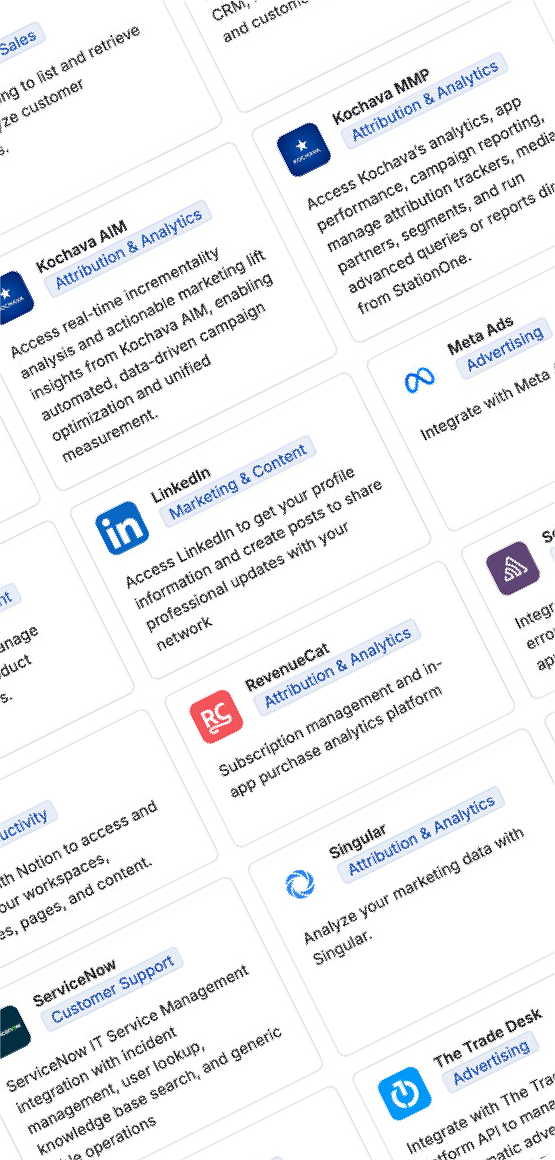
StationOne connects to your ad servers, DSP partners, measurement layers, analytics tools, and communications platforms through MCP, the open standard for agentic AI integrations. Authenticate securely once. Orchestrate everything from a single AI hub your whole team shares.
Ad Servers & Delivery Platforms

Measurement & Attribution

Productivity & Operations

Explore MCP Gallery
Secure by Design: All connector authentications use OAuth 2.0 or API key standards. Your credentials are stored locally on your device, never on StationOne servers. Each workspace has independent connector access controls, so client data never crosses account boundaries. Enterprise administrators can govern which connectors are available to which teams from a central admin panel.
Governance & Consistency
Templatize Your Standards. Make Quality Automatic.
A StationOne Skill is a saved set of instructions—a reusable template applied automatically whenever it’s invoked. Skills encode your reporting standards, analytical frameworks, and brand voice once, then enforce them everywhere: every agent, every workflow, every advertiser deliverable.
Reporting
Advertiser Wrap
Report Format
Defines the structure, tone, and data hierarchy of your post-campaign wrap deliverable. Every wrap report generated by any agent follows the same format: flight summary, top placements, creative performance, goal vs. actuals, key insights, and next-flight recommendations.
Applied in: Campaign wrap report agent, mid-flight check-in reports, QBR and renewal preparation workflows
Optimization
Yield Optimization Standard
Encodes your optimization decision logic: thresholds for pausing underperformers, boosting top placements, reallocating delivery across sub-publishers, and escalating to human review. Every optimization cycle follows a consistent, auditable framework.
Applied in: Agentic yield optimizer, in-flight campaign monitor, sub-publisher scoring workflows
Analytics
In-Flight Analysis
Insight Standard
Translates raw delivery and measurement data into human-readable insights. Structures anomaly flags, performance rankings, and recommended actions into a consistent daily format your team can act on right away.
Applied in: Daily in-flight campaign monitor, dayparting intelligence agent, creative A/B analysis workflows
Inventory
Sub-Publisher
Scoring Standard
Evaluates each sub-publisher and placement against delivery quality, engagement, and outcome efficiency criteria. Produces a ranked performance tier list your team can use to reallocate delivery toward top-performing inventory.
Applied in: Sub-publisher analysis agent, inventory planning workflows, network-wide yield review cycles
Creative
Creative & Daypart Performance Format
Standardizes how creative A/B comparisons and daypart analyses are structured and communicated. Every report includes context, directional recommendations, and a clear call to action for your campaign team.
Applied in: Dayparting intelligence agent, creative rotation optimization, advertiser mid-flight insights
Brand Voice
Advertiser Communication
Standards
Captures your house tone, approved language, and reporting style so every AI-generated wrap report, insight email, and campaign update reads on brand and builds advertiser trust, regardless of which team member or model generates it.
Applied in: Any workflow producing external advertiser-facing content, account renewal preparations, QBR deliverables
Pacing
Delivery Pacing
Standard
Defines your campaign pacing methodology: acceptable delivery variance bands, how to calculate ideal vs. actual impression curves, outcome performance thresholds, and escalation rules for at-risk flights. Applied consistently across every pacing monitor run.
Applied in: Delivery pacing monitor agent, in-flight campaign monitor, end-of-flight reconciliation and client escalation workflows

Model-Agnostic
Your AI Model. Your Choice.
StationOne doesn’t lock you into a single AI provider. Connect your preferred model or let your IT team manage model access centrally for the organization. Switch models per workflow. Scale with the best available intelligence at any given moment.
For publishers with strict data governance requirements, StationOne supports fully local model execution via Ollama, where zero data leaves your device, including to AI providers, keeping advertiser and campaign data completely on premises.
GPT-4o
Claude Sonnet
Claude Opus
Gemini 1.5 Pro
Gemini Flash
DeepSeek-V3
GPT-o3
Llama (Local)
Claude Haiku
Custom Models
Jump Right In
Prebuilt Workspaces for Publishers
& Ad Platforms
Don’t build from scratch. These preconfigured workspaces are purpose-built for supply-side workflows, with connectors, skills, and agents already in place. Click to launch directly in StationOne.
Industry Standards
IAB Tech Lab Workspace

Preconfigured workspace connecting IAB Tech Lab Agent Registry and buyer agent standards. Enables publishers and ad platforms to align their agentic workflows with emerging industry interoperability standards and access IAB-compliant agent frameworks.
IAB Agent Registry
Buyer Agent Standards
Interoperability
Compliance Agents
Open in StationOne
Supply Performance
Atlas Performance Workspace

Designed for ad platforms and programmatic publishers leveraging Atlas Performance by Kochava. Includes supply-side performance analysis workflows, sub-publisher scoring tools, and advertiser outcome reporting built on Atlas data signals.
Open in StationOne
Getting Started
From Zero to Agentic in Five Steps
You don’t need a technical team to get started. StationOne is built for ad ops and campaign professionals. The entire setup, from download to your first running workflow, takes less than a day.
Step 1
Download
StationOne
Download the StationOne desktop app at stationone.ai. It installs in minutes and runs locally on your device for maximum privacy and data security.
Step 2
Connect
Your Model
Bring your own API key or have your IT team manage model access centrally. Choose from all leading AI providers or run locally to keep advertiser data completely on device.
Step 3
Build Your
Workspace
Create a workspace for your ad ops and account teams or start from a prebuilt publisher template. Configure your knowledge base, reporting standards, and team members.
Step 4
Connect Your
Stack
Authenticate your ad server, MMP, analytics, and communications tools via the connector gallery. Most connections take under 2 minutes.
Step 5
Build Your First
Workflow
Describe a recurring task in plain language: “generate a wrap report when each campaign ends” or “alert me when a placement goes off target.” StationOne structures the workflow and puts it to work. No code required.
Your Advertisers Expect More.
Your Agents Are Ready to Deliver It.
The publishers and ad platforms that win the next generation of advertiser spend are the ones that can prove performance faster, optimize autonomously, and deliver insights that make every media buyer want to come back. StationOne gives you that edge.