
A quick-start guide for automating your first workflows in StationOne
TL;DR Summary
StationOne is a downloadable AI hub that lets you connect any large language model, integrate your existing tools via MCP connectors, and automate repeatable workflows—all within a private, local environment. It is available for macOS, Windows, and Linux, and supports individual users as well as enterprise deployments with SSO and governance controls.
This guide walks through every step from installation to your first agentic workflow: connecting an AI model, configuring workspaces, linking your tools, building agents and playbooks with skills, populating a knowledge hub, and scaling AI adoption across your team.
Whether StationOne was introduced by your organization, a colleague, or your own agentic orchestration platform research, this guide is designed to get you oriented quickly and moving with purpose.
StationOne is not a chatbot or another SaaS dashboard, but rather an integrative AI hub. It’s a downloadable desktop app that enables you to orchestrate agentic AI to work within your own environment, with privacy and security built in by design.
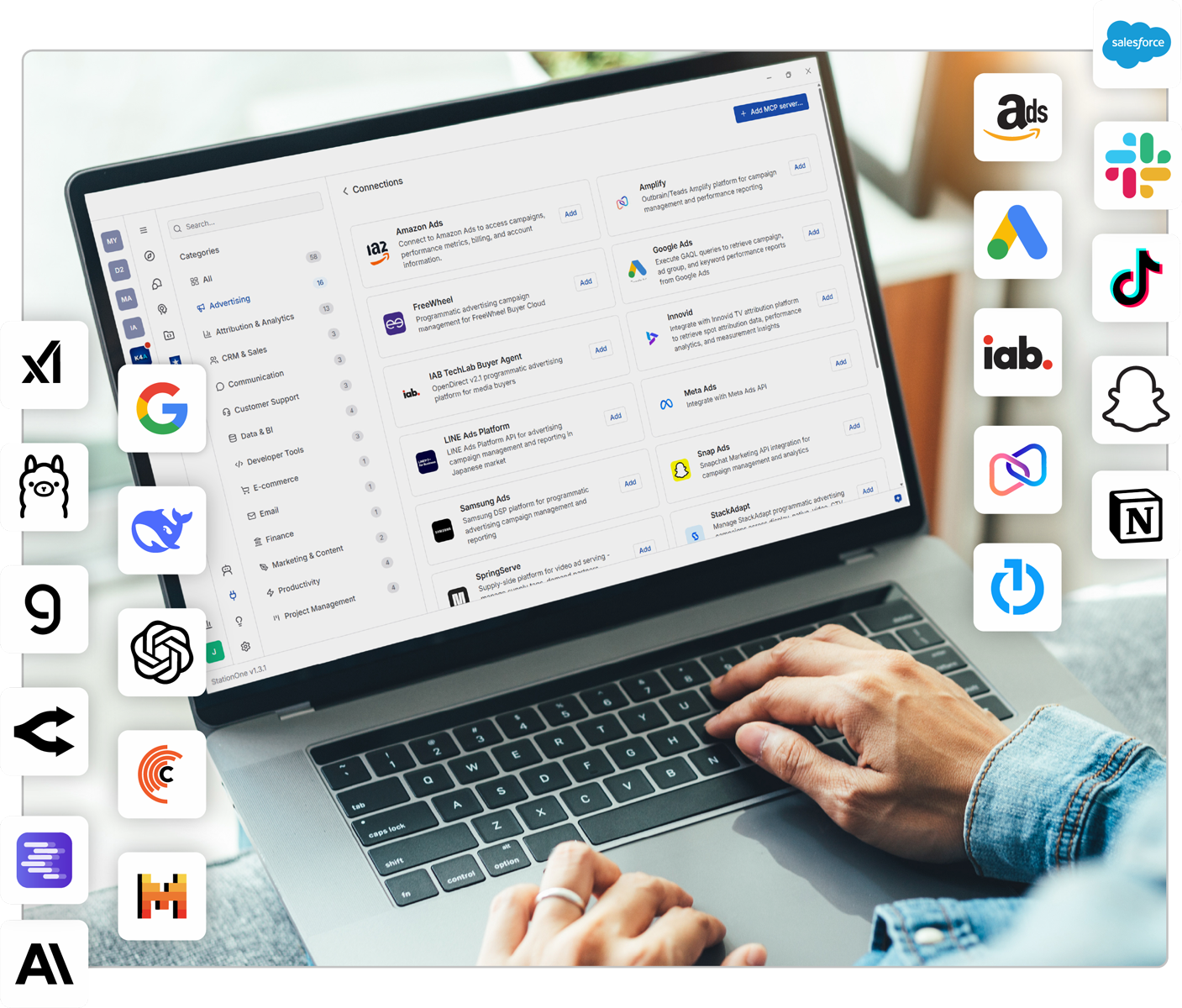
This guide walks you through every step—from installation to your first agentic workflow.
Here’s what we’ll cover:
- Download & Install: Get StationOne running on your machine
- Create Your Account: Individual or enterprise SSO
- Connect Your AI Model: Choose the right model for your work
- Explore Workspaces: Your configurable AI environment
- Connect Your Tools via MCP: Link the platforms you already use
- Build Agentic Workflows: Automate and extend what you can do
- Grow Your Knowledge Hub: Give your AI a source of truth
- Collaborate & Scale: Teams, governance, and enterprise controls
Step 1: Download & Install StationOne
Installation takes just moments. Visit stationone.ai/download and select the installer for your operating system. StationOne runs natively on:
- macOS: Apple Silicon and Intel
- Windows: Windows 10 and later
- Linux: Major distributions supported
StationOne is a full desktop application, not a browser-based tool. Because it runs locally on your machine, your data, conversations, and work remain on your device. No third-party server is processing your business information in the background.
Once StationOne is installed, open the application and follow the guided onboarding experience, which walks through many of the remaining steps in this guide.
Step 2: Create Your Account
Individual Setup
If you are signing up independently, you’ll set up your credentials directly within the app. From there, you have full control of your environment—your model, connectors, workspaces, and more.
Enterprise SSO
If your organization has adopted StationOne at an enterprise level, the experience will differ in a few important ways. When an organization deploys StationOne, administrators configure the environment for the entire team. This means:
- Single sign-on (SSO): Log in using your existing company credentials—no separate account required.
- Preconfigured models: Your organization may have already connected and approved specific AI models. You won’t need to bring your own API keys.
- Managed settings: Data access, model usage, and workspace preferences may be governed by your IT or operations team.
- Governance controls: Administrators define which connectors are available, what data can be shared, and how AI usage is tracked across the organization.
If you are joining through an enterprise deployment, several of the remaining steps may already be configured on your behalf.
Contact your internal IT administrator or contact us for assistance getting logged in for the first time.
Step 3: Connect Your AI Model
This is the foundational step that powers everything else. StationOne is model-agnostic by design, meaning it does not bind you to a single AI provider. You connect your preferred model(s) once, and it becomes the intelligence layer behind every chat, workflow, agent, and playbook you build.
Why Connect Your Own Model?
Connecting your own model through your own API key has three meaningful benefits:
- Privacy by default: Your queries are processed under your own account’s terms with the model provider, not through a shared pipeline.
- Cost transparency: You pay directly for usage at your provider’s token rates, with no markup or bundled overhead.
- Model flexibility: Different models have meaningfully different strengths, and the right choice depends on the work you do.
How to Connect Your Model(s)
- Open the StationOne app.
- Click the Settings icon at the bottom of the secondary, left-hand sidebar.
- Select Models from the Settings menu.
- Choose your preferred model provider.
- Enter your API key in the provided field. Note: If your organization manages available models, this field will be locked.
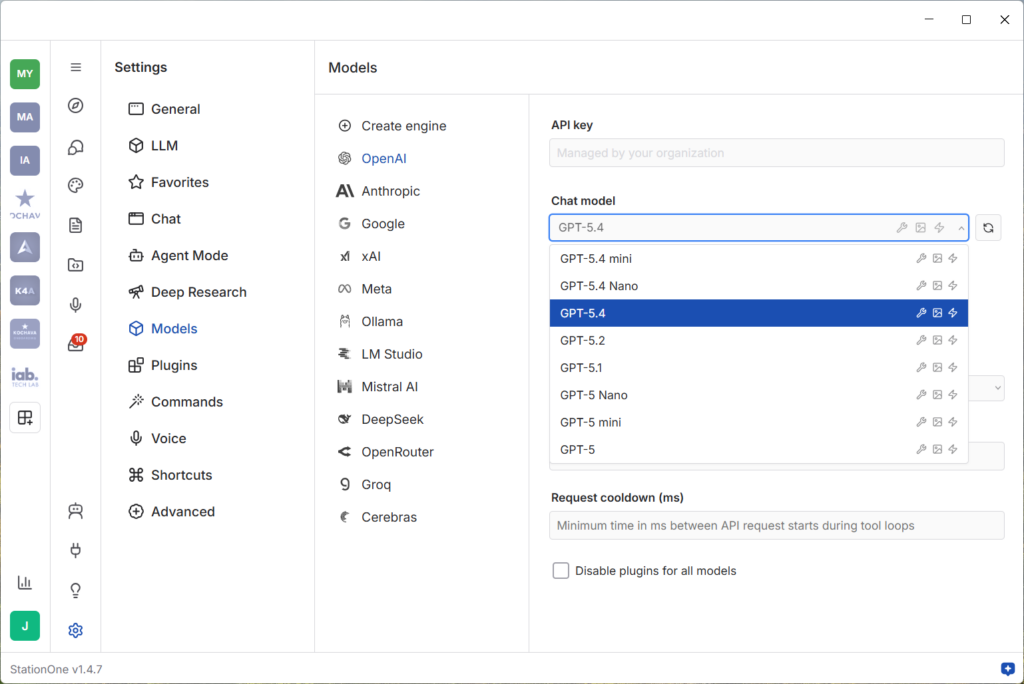
Repeat these steps for each model you want to connect. Once your API key is saved, you’ll see all available chat models and can use them across StationOne.
For more details, explore this support documentation.
Available Models
StationOne supports all leading model providers. Each has distinct characteristics; the best fit often depends on your role and workflows. If you are unsure where to start, contact us to help identify the right model for your specific use cases.
Model Highlights
OpenAI: GPT-4o, o3, and family
A capable all-rounder. GPT-4o handles writing, summarization, coding, and complex instructions with speed and reliability. The o3 model is particularly strong for structured reasoning and analytical tasks.
Well suited for: marketers, writers, analysts, and general business use
Anthropic: Claude Sonnet, Claude Opus, Claude Haiku
Claude performs consistently well with long documents, nuanced writing, and multistep instructions. Sonnet balances capability and speed; Opus is suited for deep research and complex reasoning; Haiku is fast and efficient for lighter tasks.
Well suited for: content strategists, researchers, and teams working with long or sensitive documents
Google: Gemini 1.5 Pro, Gemini Flash
Gemini handles extended context windows and multiple input types, including text, images, and PDFs. Gemini Flash is optimized for speed on high-frequency tasks.
Well suited for: teams working with visual content, large documents, or the Google Workspace ecosystem
DeepSeek: DeepSeek-V3, DeepSeek-R1
Strong performance on coding, technical reasoning, and logic-intensive workflows. DeepSeek-R1 delivers high-quality output at competitive cost.
Well suited for: developers, data analysts, and technical teams
Meta: Llama (via Ollama and other local runners)
Meta’s open-weight Llama models can run entirely on local hardware through tools such as Ollama. When configured this way, no data leaves your machine. This is the highest-privacy option available.
Well suited for: legal, finance, healthcare, and regulated industries with strict data residency requirements
Custom/In-House Models
If your organization has trained a domain-specific model or deployed one in a private cloud environment, StationOne supports custom model connections. It can be configured and used the same way as any supported provider.
A Note on Built-In Model Access
For teams and individuals who prefer not to manage their own API keys, StationOne offers plans with built-in model access: Kochava provides the model connection, and billing is based on token usage. Contact the StationOne team to explore which plan fits your organization.
Once your model is connected, you are ready to begin. The model serves as the intelligence layer for everything StationOne does on your behalf.
Step 4: Your Workspace—Your Configurable AI Environment
Before connecting tools and building workflows, it is worth understanding StationOne Workspaces, as they shape how everything else is organized.
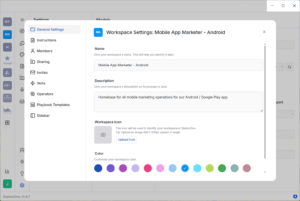
A workspace is a self-contained AI environment. When you first open StationOne, you’ll find a default workspace ready for use. This is your personal sandbox for connecting tools, loading knowledge, and building workflows. Each workspace is an independent environment with its own settings, connectors, skills, agents, playbooks, and knowledge. This allows you to maintain separate, purpose-built environments for different functions:
- A workspace for your own personal, day-to-day work
- A workspace configured for a specific client account you manage
- A workspace shared with your team for a focused project
- A workspace built for department-wide workflows and common tasks
Public & Partner Workspaces
StationOne includes a growing gallery of public and partner workspaces that you can join immediately, providing preconfigured agentic environments you don’t have to build from scratch. Here are two notable recent launches:
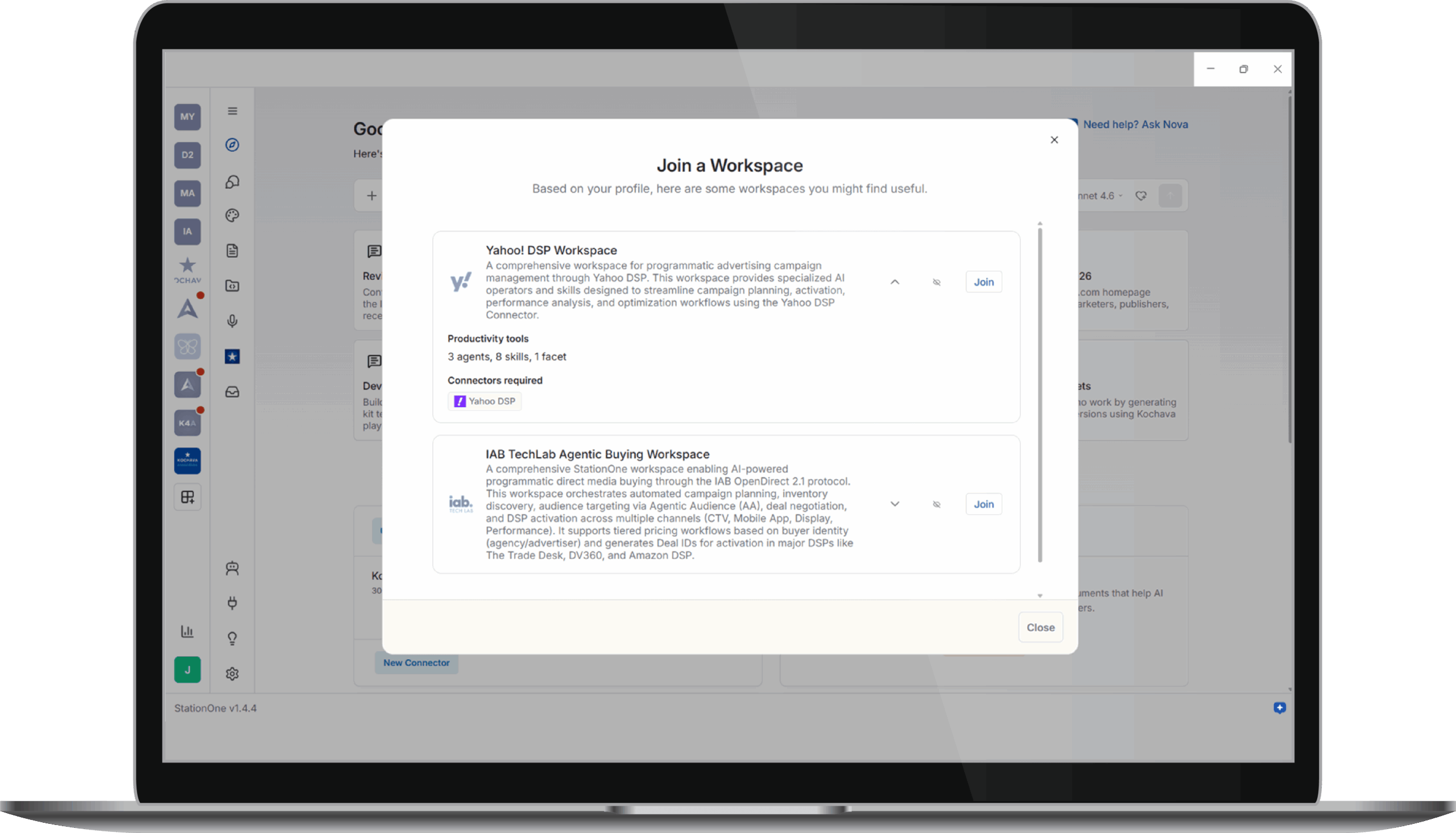
IAB Tech Lab Workspace
Developed in collaboration with the IAB Tech Lab, this workspace is designed for advertisers and media professionals, offering tools and resources aligned to IAB standards and frameworks.
Yahoo DSP Workspace
A dedicated workspace for teams operating within the Yahoo advertising ecosystem, enabling tighter integration and workflow automation across Yahoo DSP.
Building Your Own Workspace
For use cases specific to your team, client base, or internal processes, custom workspaces can be created and configured to your exact requirements. Workspace creators can also distribute their workspaces to others, making StationOne a practical platform for delivering industry-specific AI environments at scale.
For more details, explore this support documentation.
Step 5: Connect Your Tools via MCP Connectors
This is where StationOne’s value compounds significantly.
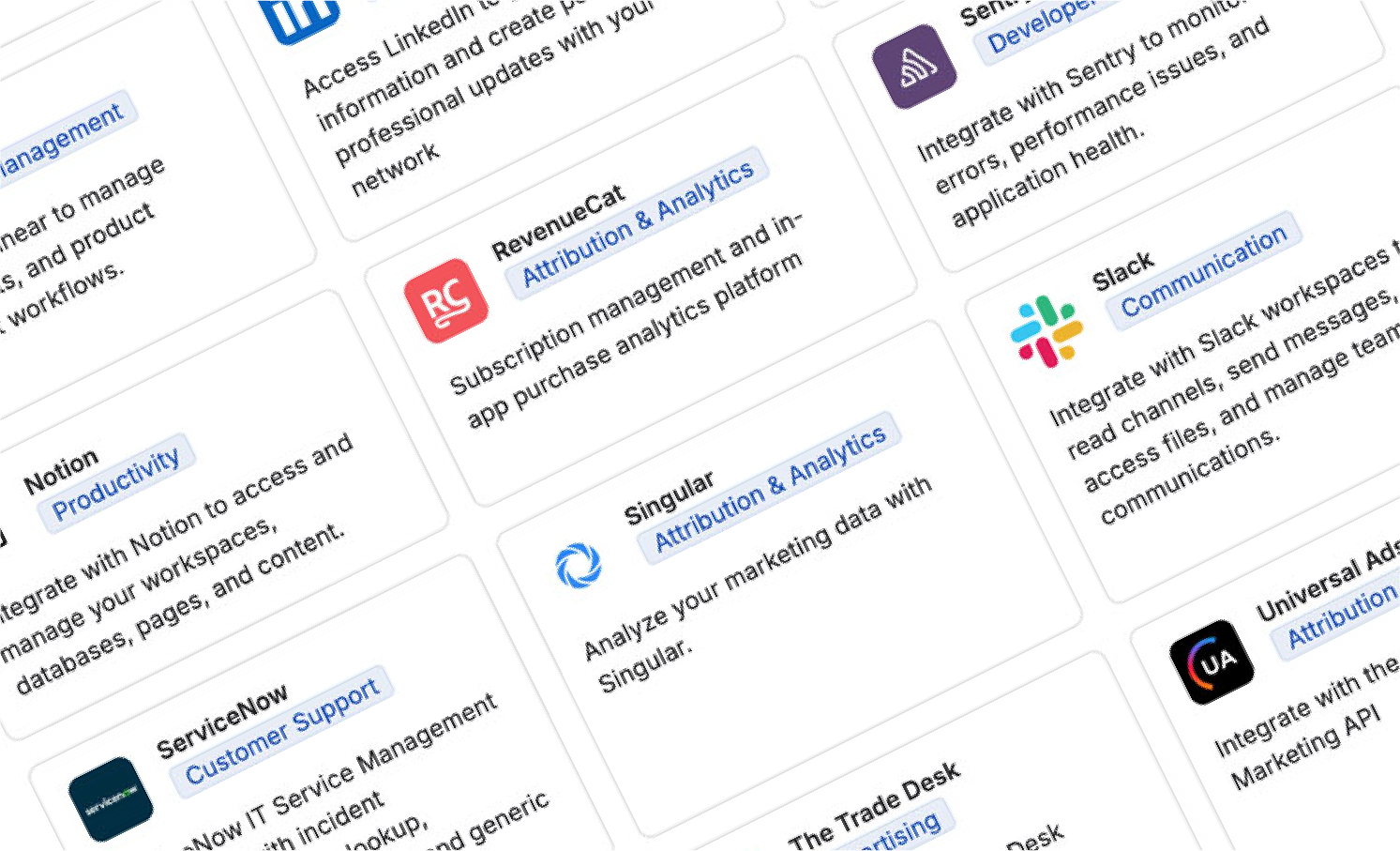
Most AI tools operate in isolation—you bring in content, get a response, and return to the rest of your toolset to act on it. StationOne eliminates this friction through MCP Connectors: a growing gallery of integrations connecting StationOne directly to the platforms and tools you use every day.
What Is MCP?
MCP stands for Model Context Protocol—an open standard that bridges conversational AI models and the APIs of third-party software platforms.
MCP addresses a practical problem: Large language models excel at understanding and generating language but are not natively equipped to communicate with software APIs. MCP acts as the translation layer, enabling the AI to reach into a connected platform, retrieve information, and in many cases take direct action on your behalf.
Get/Read vs. Write/Post: Tools Available in MCPs
Not all MCP connectors have the same capabilities, and the distinction matters:
Get/read tools within an MCP allow StationOne to pull information from a connected platform and incorporate it into your working context.
Examples:
- Retrieve campaign performance data from a connected ad platform.
- Surface open tasks from your project management tool.
- Summarize recent email threads from your inbox.
Write/post tools within an MCP go further, enabling StationOne to perform tasks inside a connected platform on your behalf.
Examples:
- Draft and send an email using Gmail.
- Create a document in Notion or Google Drive.
- Post a message to a Slack channel.
- Create a task in Asana or a similar tool.
- Launch a campaign in a connected ad platform.
- Adjust spend levels or activate an audience segment.
Every connector added to the gallery increases the scope of what is possible.
What’s Inside StationOne’s Connector Gallery
Current and upcoming connector categories include:
| Category | Examples |
| Productivity & Docs | Google Drive, Notion, Confluence |
| Email & Communication | Gmail, Slack, Microsoft Outlook |
| Task & Project Management | Asana, Linear |
| Advertising Platforms | Google Ads, Meta Ads, Yahoo DSP, Amazon Ads |
| Data & Analytics | Google Analytics, Kochava MMP, BigQuery |
| CRM & Sales | Salesforce, HubSpot, Gong |
| Kochava Products | MMP, MMM, Search Ads Maven |
Visit the ever-expanding StationOne Gallery to browse all available connectors.
For more details about adding connectors within the StationOne app, explore this support documentation.
Don’t See Your Tool?
If a platform you rely on is not yet available, contact the StationOne team. Kochava operates an MCP Factory—a dedicated process for developing, testing, and publishing new connectors. Requests are prioritized before joining a build queue. The gallery is built through use cases exactly like yours.
Step 6: Build Agentic Workflows
With your model connected and tools integrated, StationOne’s orchestration capabilities—the ability to automate and extend your work in meaningful, repeatable ways—become fully realized.
StationOne gives you several modes of working. For immediate tasks—drafting, researching, analyzing, brainstorming—conversational chat is often sufficient. For work that needs to scale or repeat, agentic workflows are the right approach.
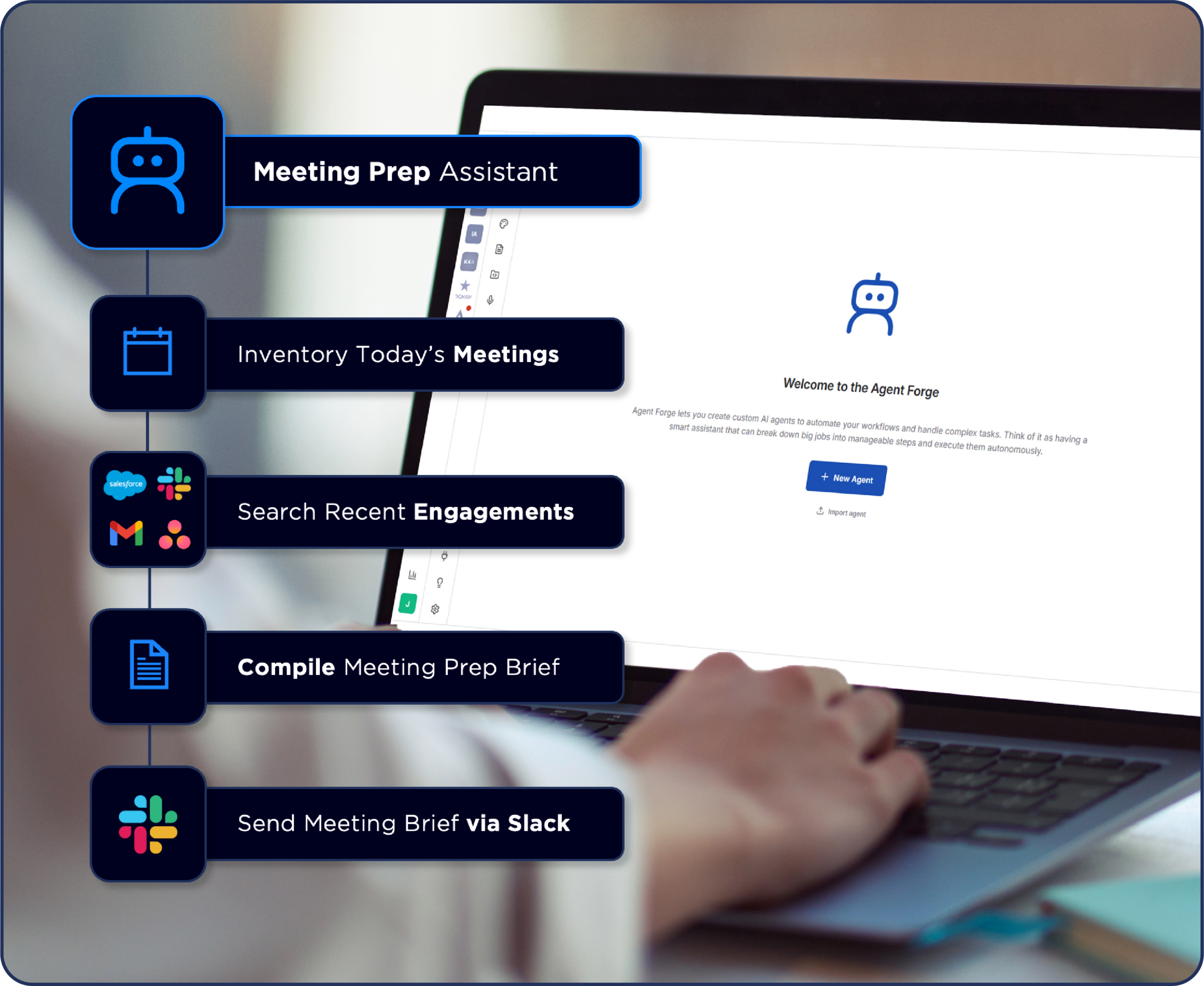
A recurring process is a good candidate to become an agent: a workflow that runs on demand or on a set schedule, draws from your connected tools, and delivers consistent results without ongoing manual effort. For more complex, multistep initiatives—campaign planning, content strategy, client deliverables—a playbook provides a structured environment for working through the full scope, generating multiple outputs, and iterating toward a final result. Elements within playbooks can also be fully automated and scheduled.
The approach matters less than the outcome—StationOne is designed to meet you where the work is. No technical expertise is required to build your agentic workflow. You describe what you need using human language, and StationOne builds it for you.
For more details on agents, explore this support documentation. ‘
For more details on playbooks, explore this support documentation.
Skills: Canonizing Consistency Across Everything You Build
One of the most effective and often overlooked tools in StationOne is Skills. A skill is a pre-prompt template: a saved set of instructions, context, or constraints automatically applied whenever you invoke it. Skills are the mechanism for establishing and maintaining continuity across every output your workflows produce.
Here are examples of skills applied across different functions:
- Brand voice: Encodes your organization’s tone, terminology, and style guidelines so every content output reads consistently, regardless of who builds the workflow or which model is in use
- Client reporting: Defines the structure, format, and required data points for any client-facing performance summary, ensuring that every report meets the same standard
- Legal & compliance review: Instructs the model to flag language that may conflict with regulatory requirements, internal policies, or contractual constraints before output is finalized
- Technical documentation: Sets the formatting conventions, terminology standards, and depth of explanation expected for developer-facing or product documentation outputs
Building a library of skills early is one of the most practical investments you can make in your StationOne environment. As your workflows multiply, skills ensure that quality and consistency scale with them.
To learn more about skills creation and management, explore this support documentation.
Popular Workflows That Teams Build
- Daily campaign pacing report: Pulls spend data from connected ad platforms each morning, compares against pacing targets, flags variances, and delivers a formatted summary to a designated Slack channel.
- Email triage: Scans your inbox, categorizes messages by urgency, drafts responses for routine inquiries, and flags items requiring personal attention.
- Competitive intelligence brief: Runs on a weekly schedule, compiles updates on specified competitors, and saves a structured briefing to a shared Google Drive folder.
- Client onboarding workflow: On trigger, creates a project folder, generates a task list in Asana, drafts a welcome email, and notifies the relevant team via Slack.
- Quarterly media plan: Given a campaign objective, audience, budget, and channel mix, produces a structured plan with platform allocations, audience strategy, scheduling, and KPI targets.
- Client performance review: Connected to campaign data sources, generates a performance summary with insights, anomaly flags, and strategic recommendations for the review period.
These can be triggered on demand or scheduled to run automatically—daily, weekly, monthly, or on any cadence that matches your operational rhythm.
Step 7: Incorporate Your Knowledge Base
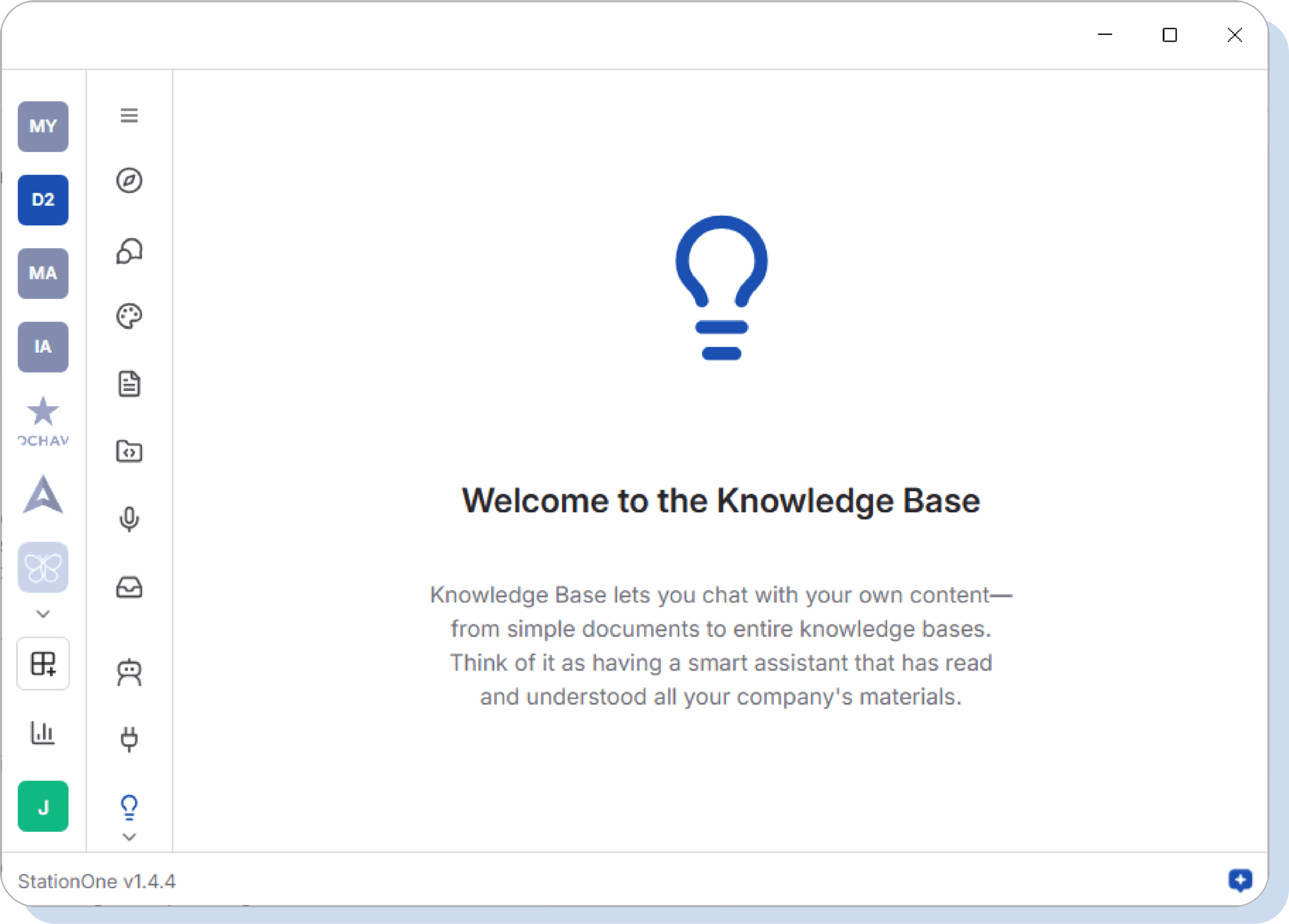
One of the most consequential early steps in building out your StationOne environment is populating Knowledge Base: a curated collection of documents, data, and reference materials StationOne uses as a source of truth when generating outputs.
When StationOne has access to your knowledge sources, the quality and relevance of its outputs improve substantially. Rather than drawing from general knowledge, it draws from your brand guidelines, campaign history, client context, and internal research.
What to add to your knowledge base:
- Brand guidelines and messaging frameworks
- Past campaign reports and performance data
- Competitive intelligence and market research
- Product documentation and feature specifications
- Meeting notes and strategic decision logs
- Client briefs and project context
This is the practical application of RAG (retrieval-augmented generation)—connecting an AI model to a curated knowledge base so relevant context is retrieved and applied before a response is generated. In StationOne, this capability is built in and requires no complicated technical configuration.
To learn more about knowledge bases, explore this support documentation.
Step 8: Collaborate, Scale & Govern
StationOne is designed to be as valuable for a team as for an individual contributor. Within a shared workspace, teams collaborate on workflows, playbooks, and knowledge sources. One person’s work can be shared, reused, and extended by others, creating a compounding return on the investment in building agentic workflows.
Enterprise Governance & Security
For organizations deploying StationOne at scale, the platform includes enterprise controls designed to address the risks arising from unmanaged AI adoption—commonly referred to as shadow AI:
- Model governance: Administrators define which AI models are available, ensuring that only approved providers are in use.
- Token usage management: AI consumption can be tracked and controlled across the organization.
- Data access controls: Data source and connector access is defined at user or team level.
- Workspace management: Workspace availability is governed by administrators.
- Audit and compliance: Full visibility into how AI is used across the organization is maintained.
The challenge many organizations face today is not a lack of AI adoption, but lack of visibility and control over how AI is used. Employees use consumer tools with sensitive data. Teams operate with different models and no shared standards. The result is fragmented output, inconsistent quality, and real compliance exposure. StationOne provides a governed environment where AI adoption can scale without such trade-offs.
Ready to Begin?
Your agentic AI strategy starts with installation. Download StationOne here.
Not sure where to begin? Here’s a suggested getting started plan:
Get Oriented
- Download and install StationOne.
- Connect your preferred AI model.
- Use chat to explore the platform—assign it tasks, ask questions, observe how it responds.
Connect & Configure
- Browse the gallery of connectors and connect two or three tools you use regularly.
- Join a public workspace relevant to your work.
- Upload initial knowledge base materials: brand guidelines, a recent campaign report, or a strategic brief.
Build Your First Agentic Workflow
- Identify a recurring task that takes meaningful time each week.
- Build a workflow in StationOne to handle it.
- Run it, review the output, and refine as needed.
Go Deeper
- Select an upcoming project—a campaign, content strategy, or client deliverable.
- Use a playbook to work through it with StationOne as a structured partner.
- Share the output with a colleague and gather feedback.
If you have any questions, contact us—we’re ready to help!